12 Best B2B Lead Generation Tools for Your Sales Stack in 2025
December 9, 2025
In today's competitive B2B landscape, a powerful sales stack is no longer optional, it's essential. The right lead generation tools can transform your outbound efforts from a manual grind into a predictable revenue engine. But with a crowded market of databases, engagement platforms, and all-in-one solutions, choosing the right software can feel overwhelming. This guide cuts through the noise.
We will break down the 12 best B2B lead generation tools, analyzing their core strengths, ideal use cases, and practical limitations. We’ll cover everything from comprehensive data providers like ZoomInfo to all-in-one engagement platforms like Apollo.io and fully automated AI systems like Roger. Our goal is to help you build a tech stack that finds qualified leads, personalizes outreach, and ultimately, books more meetings.
This is not a list of generic feature descriptions. We provide an honest assessment to help you find the right platform for your specific needs, whether you're a startup building a pipeline, a sales leader at an SMB, or part of an enterprise revenue team. Each entry includes direct links and screenshots to give you a clear view of the platform. You will learn precisely what each tool does best, who it's for, and what to consider before committing. Let's find the software that will fuel your growth.
1. Roger
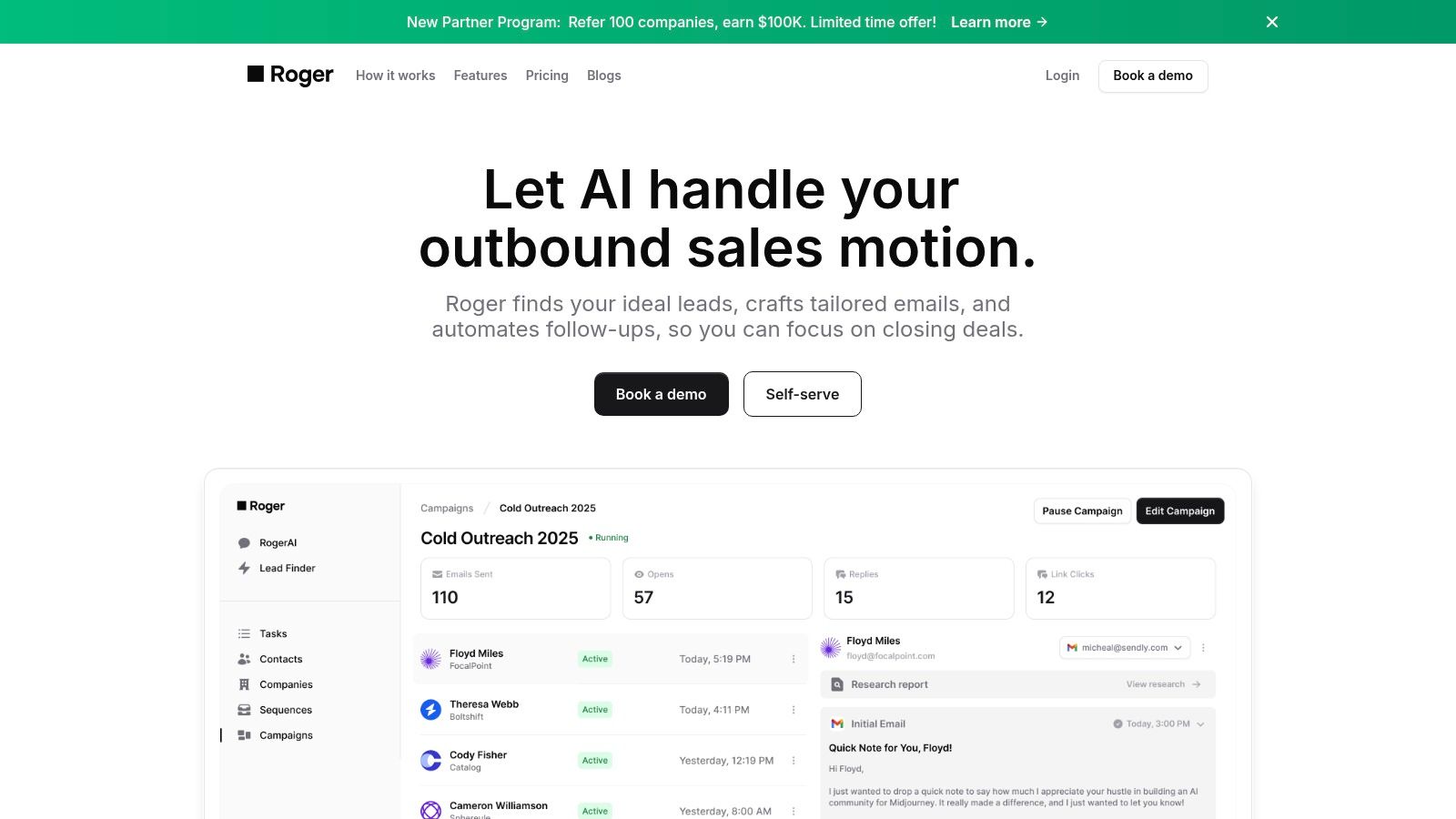
Roger stands out as one of the best B2B lead generation tools for its comprehensive, AI-driven approach to outbound sales automation. It is an end-to-end platform designed to manage the entire prospecting lifecycle, from discovering ideal customer profiles (ICPs) to booking qualified meetings, making it a powerful "SDR-in-a-box" solution. Unlike tools that only handle one part of the process, Roger orchestrates everything after a single onboarding session.
The platform autonomously finds decision-makers on LinkedIn and company websites, verifies their contact information, and crafts highly personalized outreach. Its AI analyzes your past communications to mirror your unique tone and style, while also pulling in research-driven insights from a prospect's LinkedIn and Twitter activity to maximize relevance and engagement. Roger then executes multi-channel sequences (email and LinkedIn), manages smart follow-ups, and handles meeting scheduling, freeing up your sales team to focus entirely on closing deals.
Key Features & Use Cases
Roger's feature set is built for scale and efficiency, making it ideal for various business types.
- Ideal for Startups & SMBs: For companies without a dedicated SDR team, Roger acts as a force multiplier. It automates the time-consuming top-of-funnel work, allowing founders and small sales teams to build a predictable pipeline without the overhead of hiring and training.
- Built for Agencies & Enterprise: Higher-tier plans offer unlimited sequences, comprehensive analytics, custom integrations, and enhanced security controls. Agencies can manage multiple client campaigns, while enterprise revenue teams gain the data and oversight needed to scale outbound motions effectively.
"The true end-to-end nature of Roger is its key differentiator. By handling prospect discovery, verification, personalization, and outreach in one continuous motion, it eliminates the need to stitch together multiple point solutions, saving significant time and reducing operational complexity."
Pricing & Onboarding
Roger offers tiered pricing designed to scale with your growth needs.
- Basic: $800/month (reaches 800 leads)
- Standard: $2,000/month (reaches 2,500 leads)
- Premium: $3,000/month (reaches 4,000 leads with real-time Slack support)
- Enterprise: Custom pricing with unlimited sequences and dedicated support.
You can get started through a self-serve option or by booking a demo for a more guided onboarding experience.
Pros:
- True end-to-end automation from prospect discovery to booked meetings.
- AI-powered copywriting mirrors your brand voice and uses research for personalization.
- Scalable plans with enterprise-grade features like advanced analytics and security.
- Integrated email verification and multi-channel sequencing (email + LinkedIn).
Cons:
- Pricing may be a significant investment for very early-stage startups.
- Success relies on a well-defined ICP and quality initial setup; human oversight is still necessary.
Website: hireroger.com
2. ZoomInfo (SalesOS)
ZoomInfo's SalesOS platform is a dominant force in the sales intelligence space, best suited for established sales teams that need market-leading data depth and advanced buying signals. It provides an expansive B2B database focused heavily on North America, featuring direct-dial phone numbers and verified email addresses that help sales development representatives (SDRs) connect with high-value prospects. The platform's true power lies in its ability to layer data, offering not just contact information but also company firmographics, technographics, and actionable buyer intent signals.
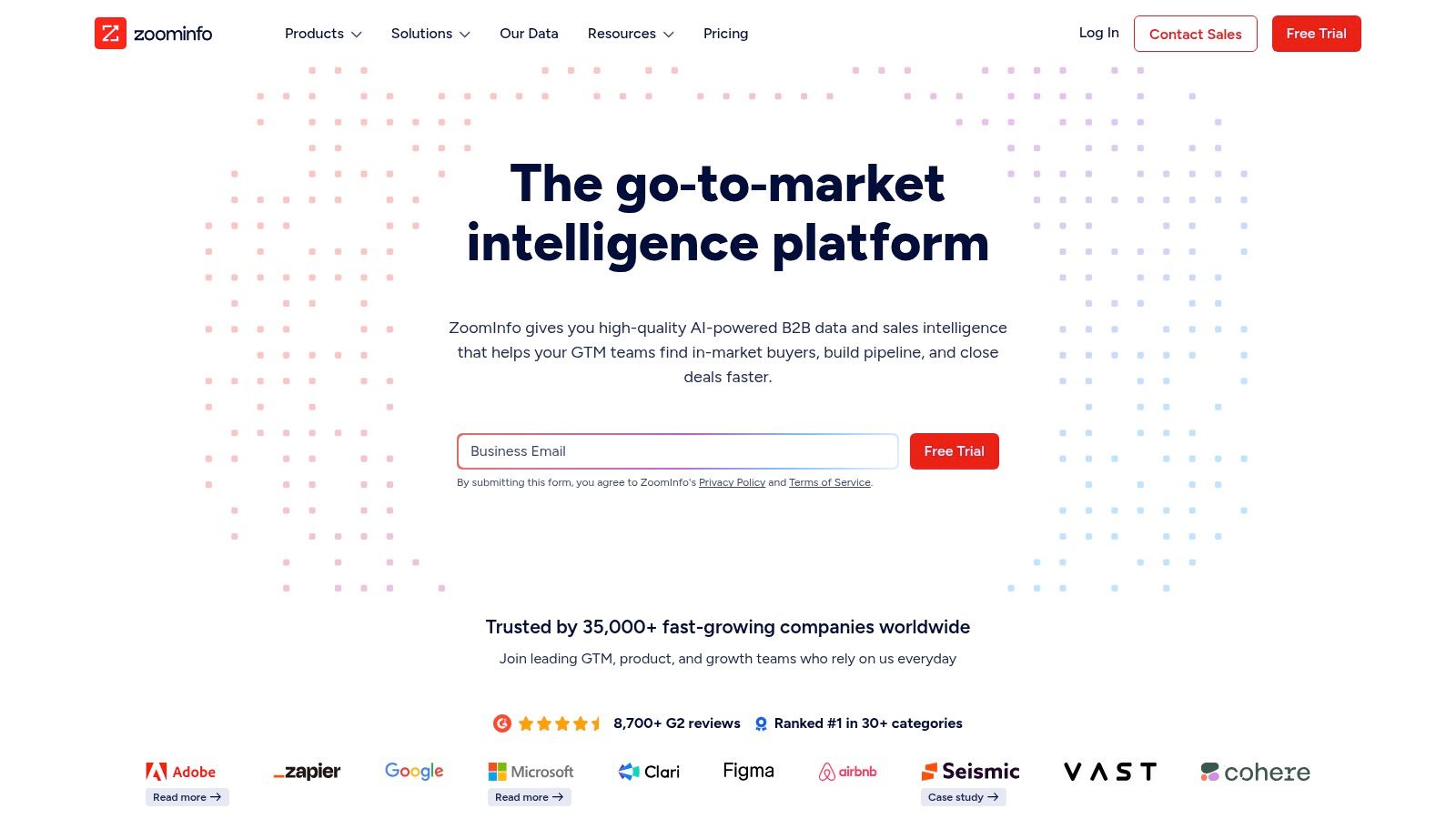
This tool is ideal for enterprise and large SMB teams that can leverage its advanced features and deep integrations with major CRM and marketing automation platforms like Salesforce and HubSpot. For instance, the WebSights feature de-anonymizes website traffic, allowing marketing and sales to identify and engage promising accounts that show interest but haven't filled out a form.
Key Features and Considerations
| Feature | Description | Best Use Case |
|---|---|---|
| B2B Database | Extensive company and contact data with direct dials and mobile numbers. | Building targeted account lists for outbound prospecting. |
| Intent Data | Tracks online research activities to signal purchase intent. | Prioritizing outreach to accounts actively seeking solutions. |
| WebSights | Identifies companies visiting your website, even anonymously. | Capturing warm leads for immediate marketing or sales follow-up. |
| Integrations | Native connections with Salesforce, HubSpot, Marketo, and more. | Automating data enrichment and workflow triggers within your existing tech stack. |
Pros:
- Unmatched data breadth, particularly for North American contacts.
- Powerful add-ons for intent, technographics, and website visitor tracking.
- Deep integrations streamline data flow into CRMs and marketing platforms.
Cons:
- Pricing is often opaque and requires annual contracts, making it a significant investment.
- The credit-based system and various add-ons can make costs escalate unexpectedly.
Visit ZoomInfo's Website
3. Apollo.io
Apollo.io has carved out a unique space as an all-in-one sales intelligence and engagement platform, making it one of the best B2B lead generation tools for small to mid-market teams. It combines a massive B2B database with native outreach capabilities, including email sequencing, a dialer, and even an inbox. This integrated approach helps sales teams consolidate their tech stack, eliminating the need for separate tools for prospecting data and sales engagement, which streamlines workflows and reduces costs.
The platform is particularly appealing to startups and SMBs due to its generous free tier and transparent, credit-based pricing model. This allows growing teams to start building their outbound pipeline immediately without a significant upfront investment. Its powerful Chrome extension enables users to find prospect data directly on LinkedIn or company websites, adding contacts to sequences on the fly and enriching profiles with verified emails and mobile numbers.
Key Features and Considerations
| Feature | Description | Best Use Case |
|---|---|---|
| Contact Database | Extensive database accessible via a credit system for emails and mobile numbers. | Building targeted lead lists for outbound campaigns on a flexible budget. |
| Sales Engagement | Native tools for email sequences, call dialing, and AI-powered writing assistance. | Executing multi-channel outreach campaigns directly from the same platform. |
| Chrome Extension | Finds contact information on LinkedIn profiles and company websites. | Prospecting in real-time while browsing social platforms and websites. |
| Workflow Automation | Rules-based engine to automate tasks like data enrichment and sequence enrollment. | Scaling prospecting activities and ensuring consistent follow-up. |
Pros:
- Strong value proposition, combining data and engagement tools in one platform.
- Native outreach features reduce the need for multiple, costly subscriptions.
- Generous free tier makes it highly accessible for startups and small teams.
Cons:
- Credit limits on lower-tier plans can be restrictive for high-volume outreach.
- While comprehensive, the depth of its data may not match premium competitors for certain niche industries.
4. LinkedIn Sales Navigator
LinkedIn Sales Navigator leverages the world's largest professional network, making it an indispensable tool for teams focused on social selling and relationship-based prospecting. It acts as a premium intelligence layer on top of the standard LinkedIn experience, offering advanced search filters, lead recommendations, and real-time alerts on prospect and account activities. This makes it one of the best B2B lead generation tools for identifying key decision-makers and understanding their professional context before initiating outreach.
The platform is ideal for sales professionals who want to build and nurture relationships rather than just cold calling. Features like InMail messages, job change alerts, and saved lead lists allow for timely and highly relevant engagement. For teams looking to refine their approach, following a structured guide like a LinkedIn Prospect Engagement Blueprint can help turn these insights into a repeatable and effective outreach process.
Key Features and Considerations
| Feature | Description | Best Use Case |
|---|---|---|
| Advanced Search | Over 40 filters to pinpoint ideal leads and accounts on LinkedIn. | Building hyper-targeted prospect lists for ABM campaigns. |
| Alerts & Signals | Real-time notifications for job changes, company news, and content engagement. | Crafting personalized and timely outreach based on prospect activity. |
| InMail Messages | Allows direct messaging to LinkedIn members outside your network. | Contacting high-value prospects who are difficult to reach via email. |
| CRM Integration | Syncs lead and account data with major CRM platforms like Salesforce. | Maintaining a single source of truth and tracking relationship history. |
Pros:
- Unmatched access to a global professional graph for prospect discovery.
- Excellent for social selling, warm outreach, and ABM research.
- Provides valuable context through real-time engagement and job change alerts.
Cons:
- Does not provide direct email addresses or mobile numbers natively.
- Pricing is per-seat, which can become costly for larger teams, and higher tiers require custom quotes.
Visit LinkedIn Sales Navigator's Website
5. HubSpot Sales Hub
HubSpot Sales Hub is a powerful sales engagement platform built directly on top of its well-regarded CRM. It excels for teams already invested in or planning to adopt the HubSpot ecosystem, offering a seamless experience that combines sales automation, analytics, and AI features. By integrating tightly with the Marketing Hub, it creates a unified view of the customer journey, making it one of the best B2B lead generation tools for aligning sales and marketing efforts for both inbound and outbound strategies.
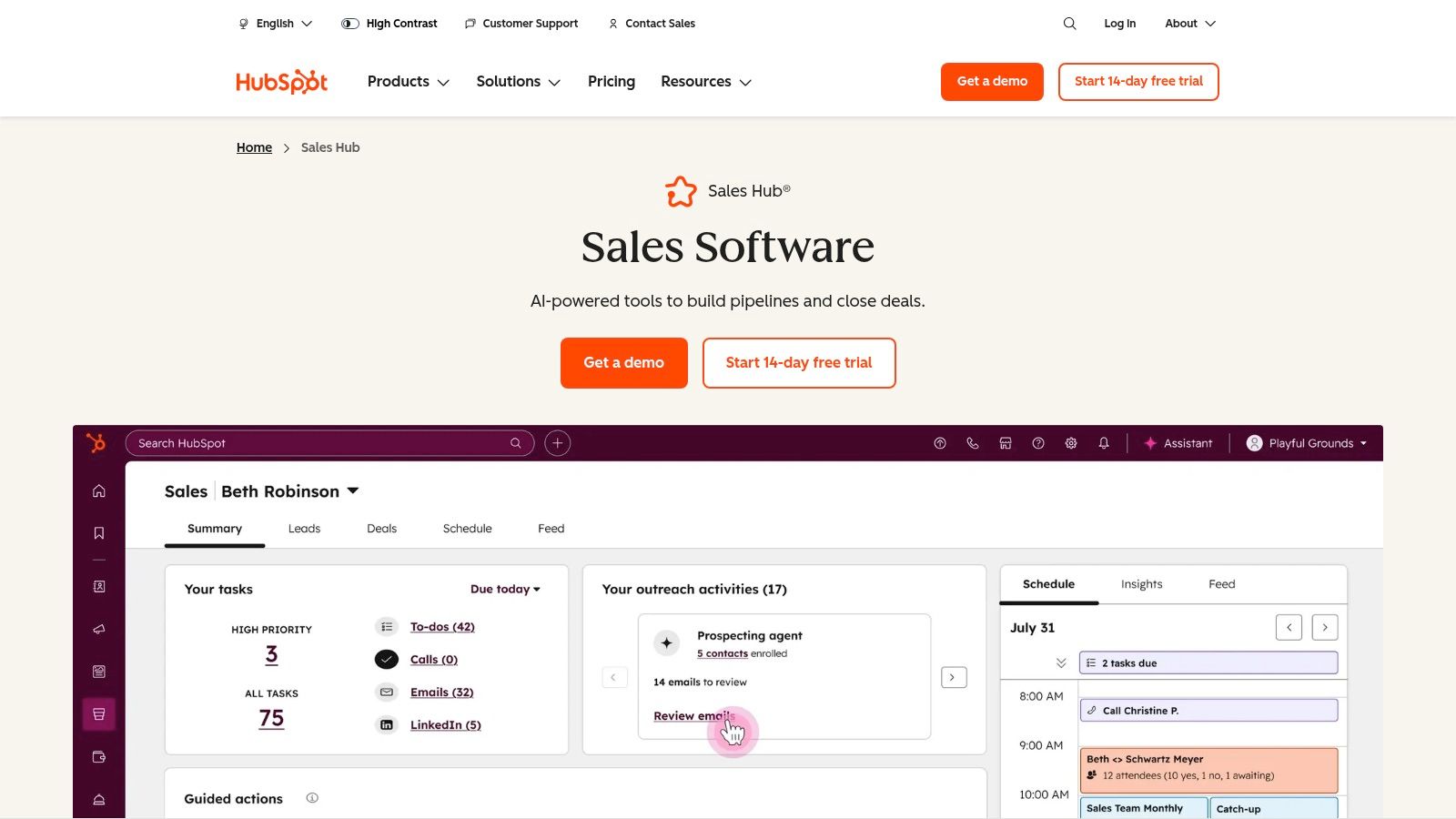
This tool is perfect for SMBs and mid-market companies seeking an all-in-one solution that is user-friendly and provides a quick time-to-value. Sales teams can leverage features like automated email sequences, call tracking, and meeting schedulers directly within the CRM, eliminating the need to toggle between different applications. This native integration ensures data consistency and provides leadership with comprehensive deal forecasting and sales analytics.
Key Features and Considerations
| Feature | Description | Best Use Case |
|---|---|---|
| Sales Automation | Create automated email sequences, tasks, and follow-ups. | Nurturing leads and ensuring consistent prospect engagement without manual effort. |
| Integrated CRM | All sales activities, from calls to emails, are logged in one central database. | Maintaining a single source of truth for all customer interactions and team activities. |
| Conversation Intelligence | AI-powered call transcription and analysis to uncover coaching opportunities. | Improving sales team performance by analyzing customer conversations at scale. |
| Deal Forecasting | Tools for pipeline management, deal tracking, and revenue prediction. | Gaining clear visibility into the sales pipeline and accurately forecasting future revenue. |
Pros:
- Exceptional ease of use and a smooth UI lead to fast team adoption.
- Scales effectively as your company standardizes on the broader HubSpot platform.
- Seamlessly unifies inbound marketing and outbound sales data and workflows.
Cons:
- Provides the best value when fully committed to the HubSpot ecosystem across teams.
- Mandatory onboarding fees may apply for higher-tier professional and enterprise plans.
6. Lusha
Lusha is a contact data platform that excels at providing quick, direct access to B2B email addresses and mobile numbers. It's particularly popular among sales professionals and recruiters who need on-the-spot contact information while prospecting on LinkedIn or company websites. Lusha’s core strength lies in its simplicity and accessibility, powered by a user-friendly browser extension and a transparent, credit-based model that makes it easy for individuals and small teams to get started without a hefty upfront investment.
This tool is ideal for sales teams that prioritize speed and ease of use in their outbound prospecting efforts. Unlike more complex sales intelligence platforms, Lusha focuses on one thing and does it well: revealing contact details. The platform’s integrations with popular CRMs like Salesforce and HubSpot allow users to push newly found contacts directly into their sales pipeline, enriching records and saving valuable time on manual data entry. Its straightforward approach makes it one of the best b2b lead generation tools for rapid list-building.
Key Features and Considerations
| Feature | Description | Best Use Case |
|---|---|---|
| Browser Extension | Reveals contact details directly on LinkedIn profiles and company websites. | Quickly sourcing direct dials and emails while actively prospecting. |
| Credit-Based Model | Users purchase credits to reveal contact information, with a generous free plan. | Individuals or teams needing flexible, pay-as-you-go data access. |
| CRM Integrations | Syncs contact data directly into platforms like Salesforce and HubSpot. | Streamlining workflows and enriching CRM records without manual entry. |
| API Access | Allows for programmatic data enrichment of existing databases or applications. | Bulk enriching a large list of contacts or integrating data into custom systems. |
Pros:
- Very easy to use with a clear credit system and a functional free starter plan.
- Strong focus on providing direct-dial mobile numbers, which are often hard to find.
- Simple browser-based workflow is highly efficient for day-to-day prospecting.
Cons:
- Lacks the advanced features of larger platforms, such as intent data or deep company insights.
- Credit costs for phone numbers can be high, and export limits apply on lower-tier plans.
7. Cognism
Cognism stands out as a leading global sales intelligence platform, particularly well-suited for B2B teams requiring high-quality, verified mobile numbers and strong European data coverage. Its core value proposition is built on providing compliant, phone-verified contact information through its Diamond Data® feature, which significantly increases the likelihood of connecting with decision-makers directly. This makes it one of the best b2b lead generation tools for organizations prioritizing cold calling and direct outreach.
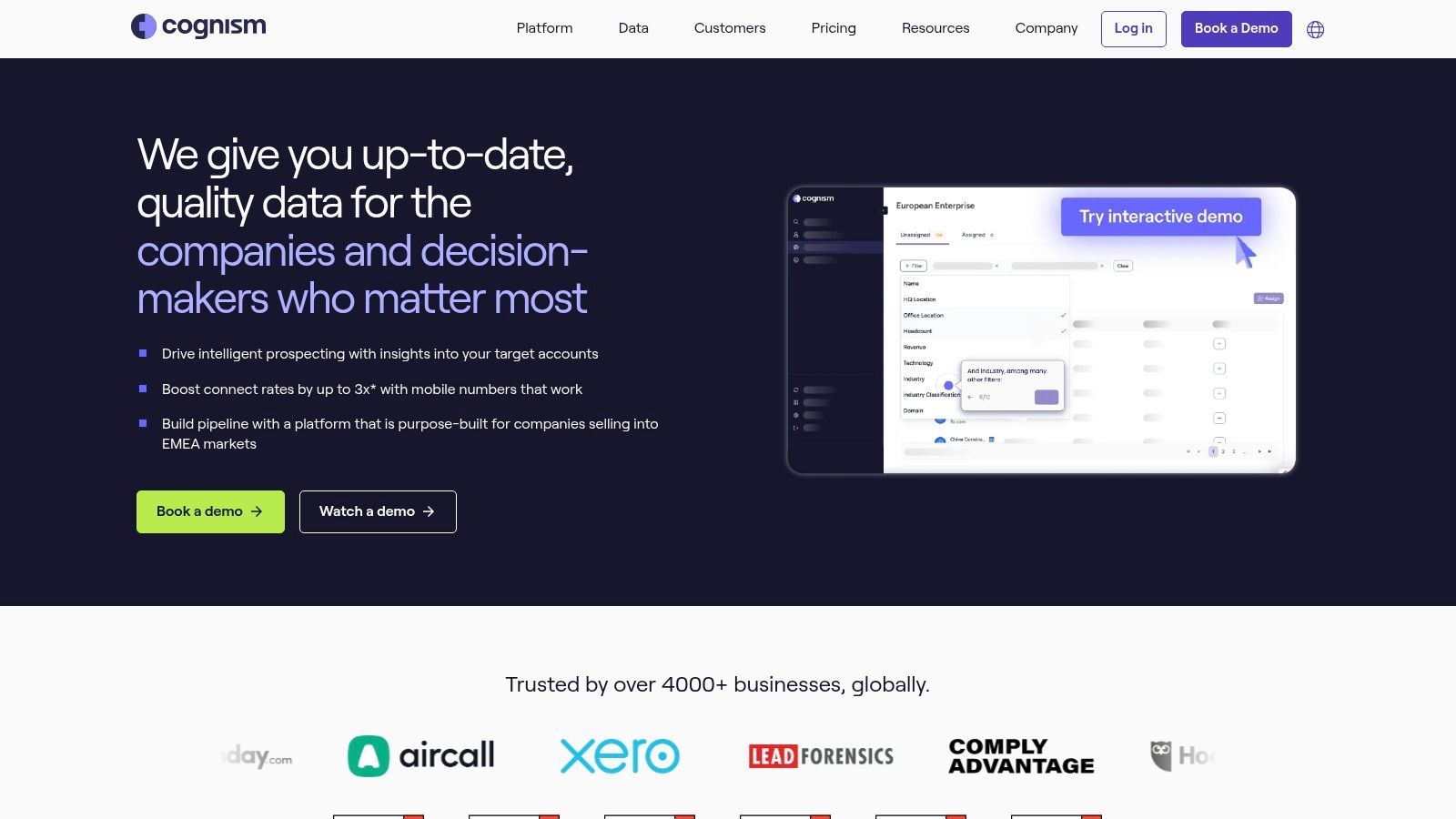
The platform is ideal for sales and marketing teams that need to expand their reach beyond North America and want to minimize time wasted on inaccurate phone numbers. Cognism also integrates intent data from Bombora and tracks buying signals like job changes and company funding, allowing users to time their outreach for maximum impact. This combination of verified data and timely signals helps teams build targeted, relevant outbound campaigns.
Key Features and Considerations
| Feature | Description | Best Use Case |
|---|---|---|
| Diamond Data® | Phone-verified mobile numbers checked for accuracy by a human research team. | Powering outbound calling campaigns that require high connect rates. |
| Global Coverage | Extensive B2B contact and company data with a strong focus on EMEA. | Building targeted prospect lists for international sales expansion. |
| Intent & Signals | Tracks buying signals (job changes, funding) and intent data via Bombora. | Identifying and prioritizing accounts that are actively in-market for your solution. |
| CRM Integrations | Native connections with Salesforce, HubSpot, and major sales engagement tools. | Enriching CRM records and streamlining prospect data directly into sales workflows. |
Pros:
- Focus on phone-verified mobile numbers (Diamond Data®) leads to higher connect rates.
- Excellent data coverage for EMEA markets, a key differentiator from US-centric tools.
- Responsive customer support and comprehensive onboarding are included with plans.
Cons:
- Pricing is not public and requires a sales-led process with custom quotes.
- Advanced features like intent data are often gated in higher-tier packages.
8. RocketReach
RocketReach serves as a highly accessible contact and company lookup tool, making it a strong choice for individuals, freelancers, and small to mid-sized teams needing quick access to email addresses and phone numbers. Its straightforward, credit-based model and popular Chrome extension allow users to find contact information directly from social profiles like LinkedIn or from company websites. This ease of use makes it one of the best B2B lead generation tools for rapid, ad-hoc prospecting without the commitment of a large enterprise platform.
Unlike more complex sales intelligence systems, RocketReach excels in simplicity and speed for direct contact retrieval. Users can perform individual searches or use bulk lookups to enrich existing lists, making it efficient for sales professionals or recruiters who need accurate data on the fly. While it may not offer the deep intent data of its larger competitors, its strength lies in providing reliable contact details with minimal friction.
Key Features and Considerations
| Feature | Description | Best Use Case |
|---|---|---|
| Browser Extension | Finds contact details directly from LinkedIn profiles and company websites. | Quickly sourcing contact information while actively prospecting online. |
| Bulk Lookups | Upload a CSV file of names and companies to enrich with contact data. | Appending emails and phone numbers to a pre-existing lead or account list. |
| API Access | Integrate RocketReach's data lookup functionality into your own applications. | Automating contact data retrieval within custom-built sales or marketing tools. |
| Company Search | Search a database of companies by industry, location, size, and other firmographics. | Building new target account lists from scratch for outbound campaigns. |
Pros:
- Simple credit-based system with clear, per-lookup pricing.
- Easy to get started with individual plans and a user-friendly interface.
- Team plans offer shared credits and basic admin controls.
Cons:
- Credits expire, which can lead to waste if not used within the billing period.
- Advanced features like CRM integrations and API access are gated behind higher-tier plans.
Visit RocketReach's Website
9. Seamless.AI
Seamless.AI positions itself as a real-time search engine for B2B contacts, designed for sales teams that need a cost-effective entry point into data enrichment. It stands out by providing both email addresses and direct-dial cell phone numbers within its core offering, making it a versatile tool for multi-channel outreach. The platform is best suited for SMBs and sales professionals who value a simple, credit-based system and want to test a tool's capabilities without a significant upfront commitment.
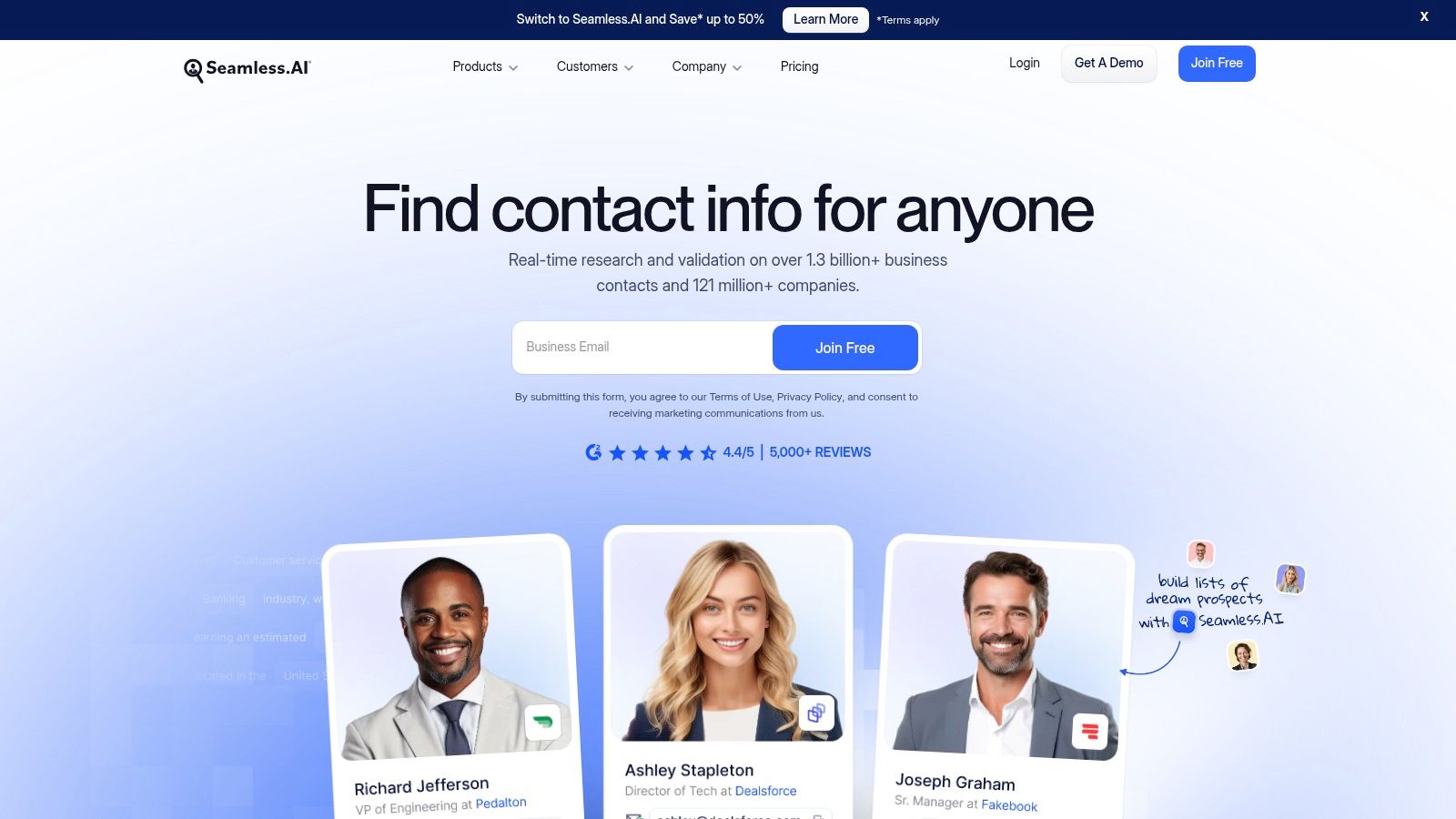
This tool is ideal for teams looking to quickly build prospecting lists without the enterprise-level price tag of more complex platforms. Its real-time verification engine aims to reduce data decay by finding and validating contact information on demand. While the base product is strong for contact discovery, its true power as one of the best B2B lead generation tools is unlocked through add-ons like Buyer Intent and Job Changes, which help teams prioritize their outreach efforts.
Key Features and Considerations
| Feature | Description | Best Use Case |
|---|---|---|
| Real-Time Search | A search engine that verifies contact data in real time upon request. | Finding up-to-date emails and phone numbers for new outbound campaigns. |
| Email & Cell Numbers | Core credits can be used to unlock both work emails and direct-dial cell numbers. | Running integrated outreach sequences that combine email and cold calling. |
| Buyer Intent Data | An add-on that identifies companies researching topics relevant to your product. | Focusing sales efforts on accounts that are actively in a buying cycle. |
| Job Change Alerts | Notifies you when contacts in your CRM or saved lists change jobs. | Re-engaging with past champions at their new companies for quick wins. |
Pros:
- A generous free plan with monthly credits makes it easy to trial the service.
- Base credits cover both email and cell phone numbers, offering good initial value.
- The real-time search and verification helps improve data accuracy.
Cons:
- Advanced features like intent data and enrichment are locked behind add-on subscriptions.
- Pricing for higher-tier plans is not transparent and requires contacting sales.
10. Hunter
Hunter is a highly focused and accessible tool that excels at its core mission: finding and verifying professional email addresses. It is best suited for startups, SMBs, and individual sales professionals who prioritize email-first outbound prospecting and require a transparent, affordable solution. The platform's strength lies in its simplicity and accuracy, allowing users to quickly find contact information associated with any domain, a specific person, or a list of companies.
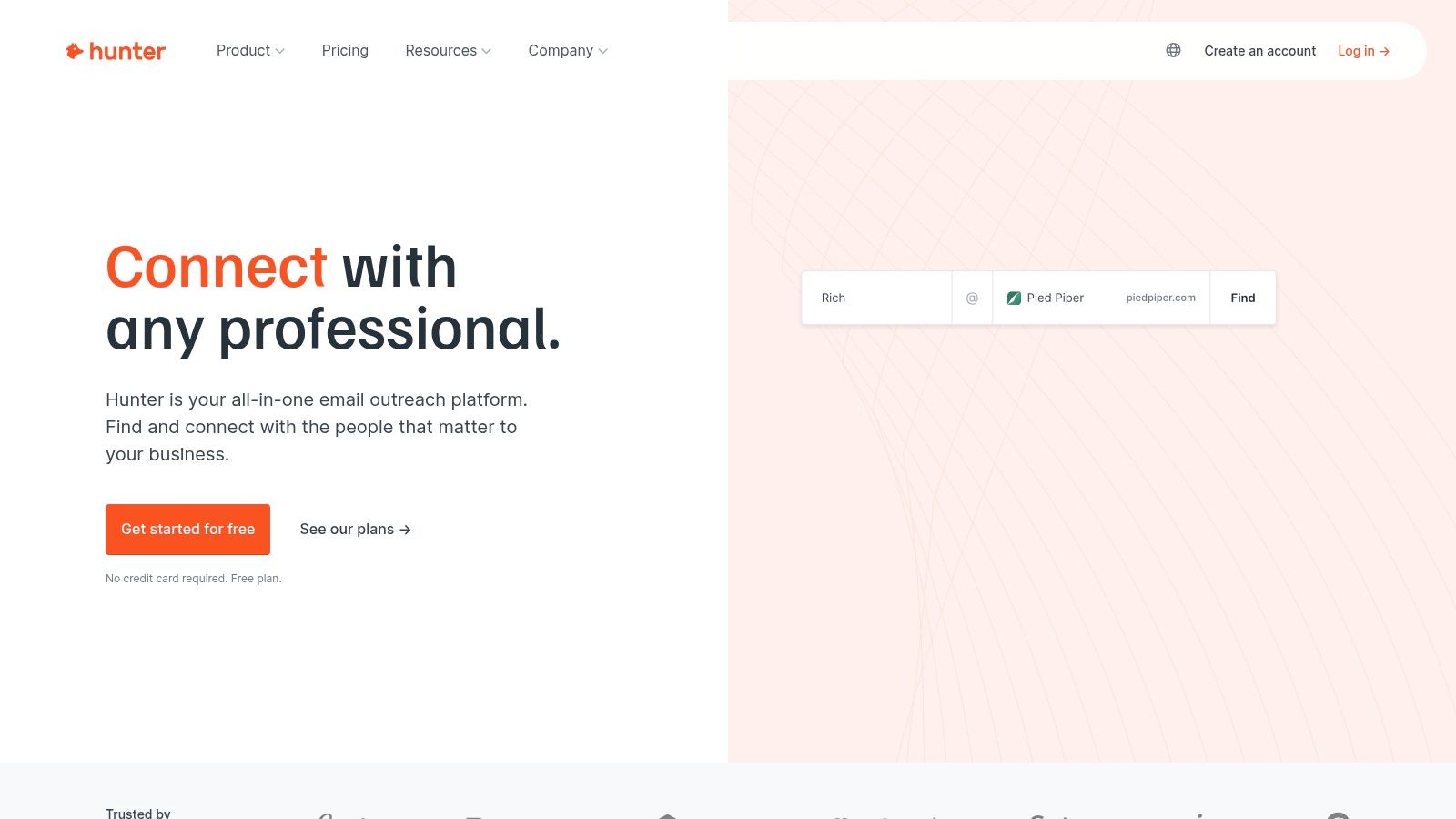
Unlike larger, all-in-one sales intelligence platforms, Hunter stands out with its straightforward, credit-based pricing and generous free tier, making it one of the best B2B lead generation tools for teams on a budget. It includes a built-in "Campaigns" feature for basic email outreach, though its primary value is in lead discovery. For a deeper dive into platforms specifically designed for communication workflows, consider exploring some of the Top Email Outreach Tools to complement Hunter's capabilities.
Key Features and Considerations
| Feature | Description | Best Use Case |
|---|---|---|
| Domain Search | Finds all email addresses associated with a specific domain. | Quickly building a contact list for a target account. |
| Email Finder & Verifier | Locates and validates individual email addresses with confidence scores. | Ensuring high deliverability for outbound campaigns and enriching lead lists. |
| Campaigns | A lightweight, built-in tool for sending simple email outreach sequences. | Launching initial cold email campaigns directly from the platform. |
| Browser Extension | A Chrome extension that finds email addresses while browsing websites. | Capturing leads on the fly from company websites or LinkedIn profiles. |
Pros:
- Clear, transparent pricing and a strong value proposition for email discovery.
- Good verification accuracy with a well-documented credits policy.
- Simple, user-friendly interface that is easy to adopt.
Cons:
- Phone number data is not a primary focus of the tool.
- Advanced sequencing and dialer features require integration with other platforms.
11. G2 – Lead Generation Category
While not a lead generation tool itself, G2's Lead Generation Category is an indispensable research platform for any team evaluating B2B software. It functions as a comprehensive software marketplace, aggregating over three million verified user reviews, detailed feature comparisons, and satisfaction scores. For businesses trying to navigate the crowded landscape of the best B2B lead generation tools, G2 provides a crucial first step in building a vetted shortlist based on real user feedback rather than just vendor marketing claims.
The platform’s iconic Grid reports visually map out market leaders, contenders, and niche players, allowing you to quickly compare vendors based on market presence and customer satisfaction. You can filter tools by company size, industry, or specific features, dramatically reducing the time it takes to identify solutions that fit your specific use case, whether you're a startup needing an affordable data provider or an enterprise seeking an all-in-one prospecting platform.
Key Features and Considerations
| Feature | Description | Best Use Case |
|---|---|---|
| Verified User Reviews | In-depth reviews and ratings from authenticated software users. | Gaining honest insights into a tool's performance and support quality. |
| Grid® Reports | Visual quadrants that rank tools based on satisfaction and market presence. | Quickly identifying market leaders and high-satisfaction niche solutions. |
| Feature Comparisons | Side-by-side comparisons of features, pricing, and integrations. | Shortlisting vendors based on must-have capabilities and budget. |
| Category Filters | Options to filter vendors by company size, industry, and user ratings. | Finding the most relevant lead generation tools for your specific business needs. |
Pros:
- Provides broad market coverage and current user sentiment to build a vetted shortlist.
- Significantly reduces evaluation time by consolidating reviews and data across multiple vendors.
- Free to access and use for research and comparison purposes.
Cons:
- Sponsored placements can influence vendor visibility in search results and category pages.
- Users must still validate specific pricing and feature claims directly on vendor websites.
Visit G2's Lead Generation Category
12. Capterra – Lead Generation Directory
Capterra, a Gartner-owned software directory, serves as a crucial research hub rather than a direct lead generation tool. It's best suited for B2B buyers in the initial stages of building their tech stack, allowing them to discover, compare, and filter hundreds of the best B2B lead generation tools based on specific features, pricing models, and user ratings. This platform excels at providing a high-level overview of the market, helping teams create a shortlist of potential vendors before diving into demos.
Unlike a hands-on tool, Capterra’s value lies in its structured comparison framework. For example, a marketing manager can filter all available tools by those offering lead scoring and CRM integrations, then sort the results by user rating to quickly identify top contenders. The platform streamlines the often-overwhelming process of market research by consolidating vendor information, user reviews, and helpful buyers' guides into one accessible location.
Key Features and Considerations
| Feature | Description | Best Use Case |
|---|---|---|
| Side-by-Side Comparisons | Filter and compare software based on features, pricing, and deployment. | Creating a shortlist of vendors that meet specific technical requirements. |
| User Reviews & Ratings | Aggregated reviews from verified users to gauge product satisfaction. | Evaluating real-world performance and user experience before committing to a demo. |
| Buyers' Guides | In-depth articles and reports on software categories and selection criteria. | Educating your team on market trends and how to choose the right solution. |
| Vendor Referral Links | Direct links to vendor websites, free trials, and demo requests. | Moving from research to the evaluation phase with top-choice providers. |
Pros:
- Completely free to use for buyers, making it an accessible first step in research.
- Wide coverage of software, including many SMB and mid-market options.
- Helpful for estimating pricing ballparks and quickly understanding feature sets.
Cons:
- Sponsored listings can influence the order and visibility of certain tools.
- Information requires validation on vendor sites, as pricing and features can be outdated.
Top 12 B2B Lead‑Gen Tools Comparison
| Vendor | Core features | UX / Quality | Value & Pricing | Target audience | Unique selling points |
|---|---|---|---|---|---|
| 🏆 Roger | AI prospect discovery, email verification, multi‑channel sequences, automated scheduling | ★★★★☆ Daily reporting; mirrors your tone | 💰 Basic $800/mo · Std $2k · Premium $3k · Enterprise custom | 👥 Startups, SMBs, agencies, enterprise revenue teams | ✨ Auto lead discovery, voice‑mirroring copy, per‑lead research, enterprise analytics |
| ZoomInfo (SalesOS) | Large B2B DB, intent signals, visitor de‑anonymization, integrations | ★★★★☆ Market‑leading data breadth | 💰 Enterprise pricing; quotes & seat/credit complexity | 👥 Large/enterprise sales ops | ✨ Extensive intent & technographic coverage |
| Apollo.io | Contact DB + native outreach (sequences, dialer, AI writing) | ★★★★☆ Strong SMB UX; free tier available | 💰 Free tier + credit model for higher usage | 👥 SMBs & mid‑market teams | ✨ All‑in‑one data + engagement to reduce tool stack |
| LinkedIn Sales Navigator | Advanced lead/account search, signals, InMail, CRM sync | ★★★★☆ Unmatched professional graph | 💰 Seat‑based pricing; advanced tiers quote | 👥 Social sellers, ABM & relationship teams | ✨ Direct access to LinkedIn signals and network insights |
| HubSpot Sales Hub | Sequences, calling, forecasting, AI insights, HubSpot CRM native | ★★★★☆ Smooth UI; fast time‑to‑value | 💰 Tiered; best value when using HubSpot ecosystem | 👥 Teams standardizing on HubSpot (inbound+outbound) | ✨ Deep native CRM integration and analytics |
| Lusha | Email & phone reveals, Chrome extension, API/enrichment | ★★★★☆ Easy start; clear credits | 💰 Credit‑based, transparent plans | 👥 SDRs and reps needing quick contact reveals | ✨ Simple credit model + browser workflows |
| Cognism | Global contact DB, phone‑verified mobiles, signals & intent | ★★★★☆ Strong EMEA coverage & support | 💰 Sales‑led quotes; tiered packages | 👥 Teams needing verified mobiles & EMEA focus | ✨ Phone‑verified "Diamond Data" and intent add‑ons |
| RocketReach | Email/phone lookup, bulk CSVs, API, Chrome extension | ★★★★☆ Straightforward for individuals & teams | 💰 Credit model; team plans with admin controls | 👥 Small teams, individual researchers | ✨ Fast lookups, bulk ops, org charts on select plans |
| Seamless.AI | Real‑time lead search returning emails & cell numbers | ★★★☆☆ Free entry; base coverage includes phones | 💰 Free starter credits; add‑ons for enrichment/intent | 👥 Teams testing combined email+phone discovery | ✨ Base usage includes email + phone lookups |
| Hunter | Email finder, verifier, outreach campaigns, API | ★★★★☆ Reliable verification & clear credits | 💰 Transparent pricing; credit tiers | 👥 Email‑first prospecting teams | ✨ Strong email verification + built‑in campaigns |
| G2 – Lead Gen Category | Category grids, verified user reviews, vendor links | ★★★★☆ 3M+ reviews for sentiment analysis | 💰 Free to use; vendor pricing links | 👥 Buyers researching & shortlisting vendors | ✨ Verified reviews & comparison grids |
| Capterra – Lead Gen Directory | Side‑by‑side comparisons, pricing snippets, guides | ★★★☆☆ Broad directory; sponsored listings possible | 💰 Free to use; vendor links to trials/demos | 👥 Buyers comparing features & price ranges | ✨ Quick comparisons, buyer guides, filterable lists |
How to Choose the Right Tool for Your Team
Navigating the crowded landscape of B2B lead generation tools can feel overwhelming. We've explored a wide spectrum of platforms, from massive data providers like ZoomInfo and Cognism to all-in-one engagement platforms like Apollo.io and HubSpot Sales Hub. Each tool offers a unique approach to solving the fundamental challenge of building a predictable sales pipeline.
The key takeaway is that there is no single "best" tool for everyone. The right choice is deeply contextual, hinging on your team's specific circumstances, goals, and existing operational maturity. Your decision-making process should be a strategic exercise, not just a feature-for-feature comparison.
A Framework for Your Decision
Before you commit to a subscription or book another demo, take a step back and evaluate your needs through a structured lens. A rushed decision can lead to poor adoption, wasted budget, and a tech stack that creates more friction than it removes.
Consider these core factors to guide your selection:
Identify Your Primary Bottleneck: What is the single biggest obstacle in your lead generation process right now? Is it a lack of accurate contact data? An inability to scale personalized outreach? Or is it simply a shortage of human resources to manage the top-of-funnel activities? Be honest about your weakest link. If your team is drowning in manual prospecting, a data-only tool won't solve the core problem.
Assess Your Team’s Resources and Skills: Do you have a dedicated team of Sales Development Representatives (SDRs) who can leverage a complex platform like LinkedIn Sales Navigator or Apollo? Or are your Account Executives (AEs) responsible for their own prospecting? An AI-powered automation platform like Roger is ideal for lean teams where AEs need to focus on closing, not prospecting.
Evaluate Your Tech Stack Integration: The best B2B lead generation tools don't operate in a vacuum. How will a new platform integrate with your existing CRM (like Salesforce or HubSpot)? Poor integration can create data silos and manual data entry headaches, defeating the purpose of the tool. Always verify the depth and reliability of native integrations.
Balance Budget with Total Cost of Ownership: Look beyond the monthly subscription fee. Consider the "total cost of ownership," which includes implementation time, training hours, and the cost of hiring personnel to operate the software effectively. Sometimes, a higher-priced platform that automates more tasks provides a greater return on investment by reducing headcount or freeing up valuable sales rep time.
Final Thoughts: From Tools to Systems
Ultimately, the goal is not just to acquire another tool; it is to build a scalable, repeatable system for generating qualified leads. The platforms we've reviewed, from comprehensive databases to specialized finders like Hunter, are all components that can fit into that system.
For startups and SMBs, the most valuable resource is time. Your sales team's focus should be on activities that directly generate revenue: conducting discovery calls, running demos, and closing deals. If they are spending half their week sourcing contacts and writing cold emails, you have a system problem, not just a tool gap.
This is where the new wave of AI-powered automation comes into play. By offloading the entire top-of-funnel process, from prospect identification to personalized outreach and meeting scheduling, you fundamentally change your sales motion. You empower your team to operate at their highest potential, transforming lead generation from a manual chore into an automated, efficient engine for growth. Choose the tool that not only fills a feature gap but also strategically elevates your team's ability to sell.
Ready to build an outbound engine that runs on autopilot? Roger acts as your AI-powered SDR team, handling everything from sourcing perfect-fit prospects to writing personalized emails and booking meetings directly on your calendar. Stop buying lists and start getting qualified meetings by visiting Roger to see how it works.