How to Find Email Addresses for Businesses a Practical Guide
December 25, 2025
Finding the right business email address really boils down to three core activities: some good old-fashioned manual digging, using smart automated tools to speed things up, and—this is the big one—always verifying what you find. Nail this process, and you’ll not only connect with the right people but also keep your sender reputation safe from dreaded email bounces.
Your Blueprint for Finding Business Email Addresses
If you're running any kind of B2B outbound campaign, you know that finding the right email address is the critical first step. It's the fuel for your entire sales engine. In a world of overflowing inboxes, simply getting your message to the right person is a huge win. We're going to skip the outdated, time-wasting tactics and jump straight into a modern framework that top-performing sales teams use to build a predictable pipeline.
This isn't about guesswork; it's about creating a scalable, efficient, and compliant system for email discovery.
Why Accurate Emails Are Non-Negotiable
Let’s be real: with over 4.6 billion people using email every day, finding the specific decision-maker you need is tough. And with 376 billion emails sent daily, you can’t afford to just guess.
The payoff for getting it right is massive. A solid 93% of B2B marketers use email as their primary channel for content distribution, and 77% of B2B buyers actually prefer to be contacted via email. You can dig deeper into these powerful email marketing statistics to see just how crucial this channel is.
The trick is to blend smart searching with the right technology and a final quality check.
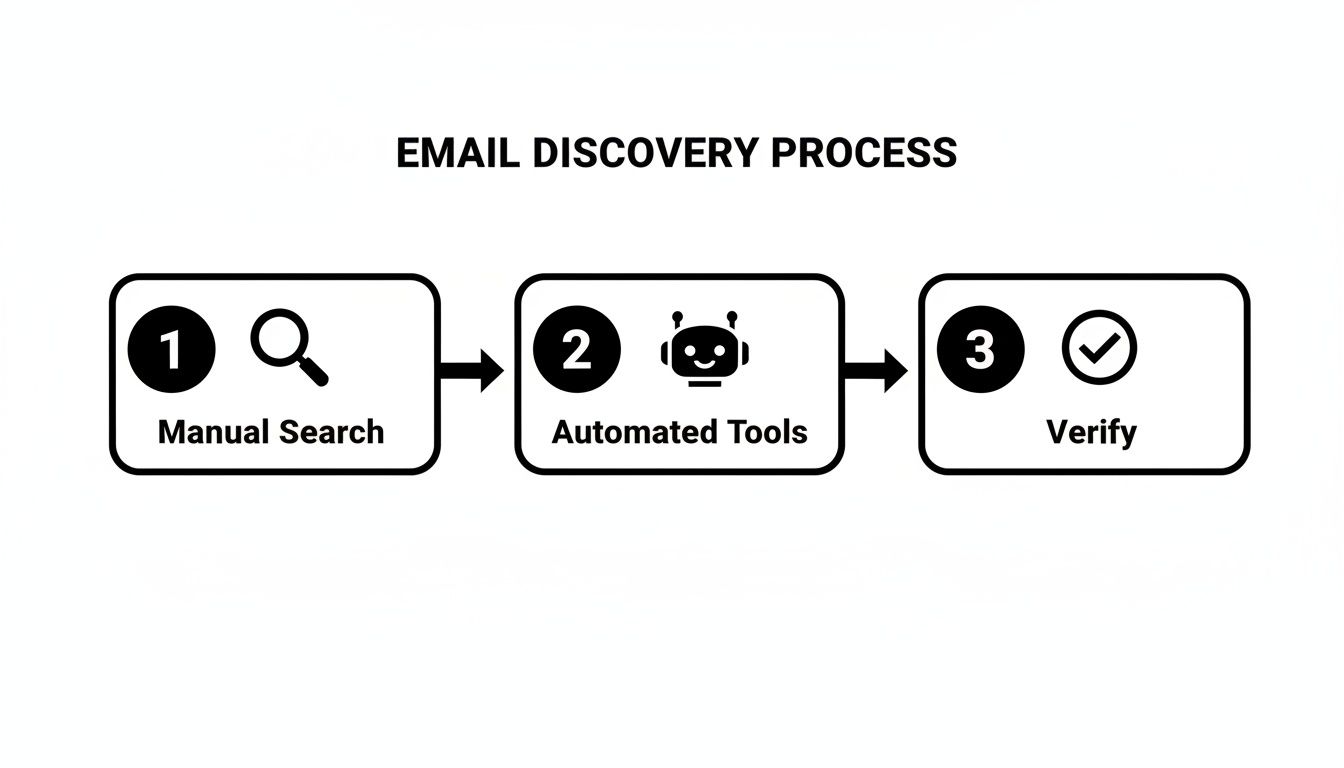
As you can see, it's a multi-stage process. Relying on just one method is a recipe for a weak pipeline. A successful strategy combines human intelligence, automation, and a non-negotiable verification step.
The Modern Prospecting Workflow
Forget about spending hours scrolling through websites hoping to get lucky. The goal is to build a repeatable system that consistently feeds your pipeline with qualified, verified contacts.
A winning workflow usually looks something like this:
- Manual Reconnaissance: This is your groundwork. You're using LinkedIn to identify key people and advanced Google searches to figure out a company's likely email format (like
firstname.lastname@company.com). - Automated Tools: Here's where you scale. Email finders and sales intelligence platforms do the heavy lifting, pulling contact data in bulk and saving you a ton of time.
- Verification: This is your insurance policy. Every single email you collect must be run through a verification service to confirm it’s valid. Skipping this step is the fastest way to damage your domain reputation.
The secret to effective outreach isn't just finding an email address; it's about consistently finding the right email address and ensuring it's deliverable. This protects your sender reputation and maximizes the impact of every message you send.
By weaving these three elements together, you're not just finding emails—you're building a powerful engine for your outbound sales motion. This guide will walk you through each step, giving you the practical skills you need to master both the art and science of finding business emails.
Even with all the automated tools out there, knowing how to find an email address the old-fashioned way is a skill that truly separates the best salespeople from the rest. This is your go-to when you're hunting for a high-value prospect, double-checking a lead from another source, or just need one or two contacts without signing up for a new service.
Think of it as digital detective work. It’s all about using public information to piece together someone's email address. You’ll be surprised how often a little pattern recognition and some smart searching gets the job done.
Guessing the Email Format
Most companies don't get too creative with their email formats. They usually stick to a predictable pattern, which makes your job a lot easier. If you know your prospect's name and their company's domain, you can make a pretty solid educated guess.
Here are the most common formats I see in the wild:
jane.doe@company.com(First Name + Last Name)jdoe@company.com(First Initial + Last Name)jane@company.com(First Name Only)janedoe@company.com(Full Name, No Separator)
Let's say you're trying to reach John Smith at Acme Corp. You'd start by testing john.smith@acmecorp.com and jsmith@acmecorp.com. Before you hit send, though, pop these guesses into a free email verification tool. This simple check saves you from bounces and helps protect your sender reputation.
Putting Advanced Google Searches to Work
Google is more than just a search engine; it's a prospecting powerhouse if you know how to use it. The trick is to use advanced search operators—special commands that filter your results to pinpoint exactly what you need.
You can often find emails tucked away in press releases, conference speaker bios, or even old PDF files on a company’s website. It just comes down to asking Google the right questions.
For instance, this simple command is incredibly effective:
site:company.com "John Smith" email
This tells Google to search only on the company's website for pages that mention both the prospect's name and the word "email." It’s a great way to quickly find contact pages or team bios where their address might be listed.
My Go-To Tip: Don't stop at searching for "email." I often find what I'm looking for by swapping it out with "contact" or even just "@companydomain.com" next to the prospect's name. It's a small change that can surface completely different results.
Here are a few more search strings I keep in my back pocket:
site:company.com "John Smith" contact"John Smith" Acme Corp email filetype:pdfintitle:"team" site:company.com "John Smith"
Playing around with these operators turns a generic search into a precision targeting tool.
Using Professional Networks like LinkedIn
LinkedIn is an absolute goldmine for identifying the right people. While you won't usually find an email address sitting on someone's profile, it gives you the two most important clues you need: the person's full name and their company.
Once you've zeroed in on your target, the path forward is pretty clear.
- First, confirm their full name and current title. You want to be sure you have the right person.
- Then, hop over to the company's website to find their domain (e.g.,
company.com). - Now, you can start combining that info with the common email patterns we talked about earlier.
- As a final step, run a few of those targeted Google searches to see if their email has ever been mentioned publicly.
Imagine you find Sarah Chen, the VP of Marketing at "Innovate Inc.," on LinkedIn. You've got the name and the company. Now you can test sarah.chen@innovate.com, schen@innovate.com, and a few others, running them through a verification tool. It’s a simple, methodical process that works time and time again.
Scaling Your Search with Email Finder Tools
Let's be honest, manual prospecting has its place. It's fantastic for those high-value, must-win accounts where you need that personal touch. But it has a serious ceiling—it just doesn't scale. If you're a sales leader responsible for building a healthy pipeline and hitting predictable revenue targets, you have to bring in technology. This is where email finder tools and sales intelligence platforms really shine, turning your outreach from a slow drip into a steady stream of solid opportunities.
Think of it this way: manual methods are like carefully picking a single lock. A good tool is like having a master key that opens hundreds of doors at once. These platforms do the heavy lifting by pulling together massive amounts of data from public records, data partnerships, and their own smart algorithms. When you search for a contact, they aren't just taking a wild guess; they're cross-referencing multiple data points to give you a verified email.

The Power of Lightweight Browser Extensions
The easiest way to dip your toes into automated email discovery is with a simple browser extension. These tools slot right into your daily workflow, usually on LinkedIn. With just a click, you can pull up a prospect's email address without ever leaving their profile page. It's incredibly efficient.
These are perfect for individual sales reps or small teams who need contact info on the fly. Instead of toggling between five different tabs trying to guess and verify an email, the tool hands it to you in seconds. The time savings add up fast.
Full-Suite Sales Intelligence Platforms
While extensions are great for quick, one-off searches, full-suite sales intelligence platforms are built for teams that need to go big. These are powerful, searchable databases packed with company and contact information, all filterable with incredible precision.
You can build laser-focused prospect lists based on criteria that actually matter, such as:
- Industry and Company Size: Pinpoint companies that fit your ideal customer profile to a T.
- Job Title and Seniority Level: Make sure you're talking to the people who can actually sign a check.
- Geographic Location: Carve out specific regions or territories for your team.
- Technologies Used: Find companies using software that works with yours—or find ones using a competitor.
These platforms are the mission control for modern sales teams. They don't just give you emails; they often provide direct-dial phone numbers, detailed company data, and buying signals that help you craft a much more relevant message.
The real game-changer with a sales intelligence platform isn't just finding one email. It's the power to build a qualified, targeted list of hundreds of ideal prospects in minutes, not days. That’s the bedrock of a scalable outbound strategy.
Evaluating the Right Tool for Your Business
Choosing the right tool comes down to your team's specific needs, budget, and what you’re trying to achieve. As you look at different options, focus on three key things: accuracy, database quality, and integrations.
A tool with bad data is worse than no tool at all. Look for providers that offer real-time verification or stand behind their data with a high accuracy guarantee. A bigger, more diverse database means you’re more likely to find those niche contacts you’re after. And finally, if it doesn't plug into your CRM (like Salesforce) and sales engagement tools (like Outreach), it’s going to create more work, not less.
To help you navigate the options, here’s a breakdown of the different types of tools available.
Comparing Email Discovery Tool Types
This table breaks down the main categories of email finder tools, helping you figure out which solution is the right fit for your team's scale, budget, and workflow.
| Tool Type | Primary Use Case | Key Features | Typical User |
|---|---|---|---|
| Browser Extensions | Quick, single-contact lookups directly on LinkedIn or company websites. | On-page email finding, simple interface, pay-per-credit model. | Individual SDRs, AEs, small sales teams, recruiters. |
| Email Finders | Bulk email discovery and list building based on names and company domains. | CSV uploads, API access, domain search, simple verification. | Sales teams needing to enrich existing lists, marketers. |
| Sales Intelligence Platforms | Building highly targeted prospect lists from scratch with advanced filtering. | Large B2B database, firmographics, technographics, direct dials. | Mid-market to enterprise sales teams, sales operations. |
| All-in-One Outreach Platforms | Finding contacts, verifying emails, and executing outreach campaigns in one place. | Prospecting, sequencing, personalization AI, CRM integration. | Growth-focused sales teams looking for an end-to-end solution. |
Ultimately, a browser extension is great for speed, while a full sales intelligence platform is built for scale. An all-in-one tool tries to bring the best of both worlds together for a more integrated workflow.
The Rise of AI-Powered Automation
The newest development in this space is the move toward AI-powered platforms that do more than just look up data. Modern solutions like Roger are designed to automate the entire outbound motion. They don't just find and verify emails; they use AI to research each prospect, write hyper-personalized messages based on their LinkedIn activity or job role, and run multi-channel outreach sequences for you.
This approach blends the scale of automation with the personal touch of manual outreach, freeing up your sales team to focus on what they do best: having meaningful conversations with interested buyers. For any business serious about figuring out how to find email addresses for businesses efficiently, this level of automation is the clear next step.
Why Email Verification is Non-Negotiable
Finding what you think is the right email for a prospect feels great, but it’s only half the job. That initial win can quickly turn into a major problem if you skip the next step: verification.
Sending a bunch of emails to addresses that don't exist is the fastest way to get your domain flagged as spam. Email providers like Google and Microsoft are always watching your bounce rate. If it creeps up, they assume you're blasting out spam, and that's when they can slam the brakes on your entire team's ability to send emails. Verification isn't just a "nice-to-have"—it's a critical part of keeping your outbound engine running.
What’s Happening Behind the Scenes?
So, what does an email verifier actually do? Think of it as a quick, automated handshake to see if an email address is real and ready to receive mail.
In just a few seconds, the tool runs a series of checks:
- Syntax Check: First, it just makes sure the format is right. Is it actually
name@domain.com? Simple, but important. - Domain Check: Then, it checks if the domain (
company.com) is real and has mail servers set up to receive email. - Mailbox Check: Finally, it pings that server and asks, "Hey, does a mailbox for 'name' actually exist here?"
It’s just like double-checking a shipping address before you send a package. You want to make sure the street exists, the house number is correct, and someone is actually there. This simple process saves you from wasting time and ensures your message even has a chance of getting delivered.
An unverified email list is a direct threat to your sender reputation. Every single bounce is a vote against your domain, making it harder for all of your emails to land in the primary inbox, even the ones sent to perfectly valid prospects.
Understanding the Results
Once a tool runs its checks, it will usually sort your emails into one of three buckets. Knowing what they mean is the key to building a clean, high-performing prospect list.
- Valid: This is the green light. The server confirmed the address exists. These are the contacts you can confidently push into your outreach sequences.
- Invalid: This is a dead end. The server confirmed this address doesn't exist. Sending an email here will cause a hard bounce, so you need to remove these from your list immediately to protect your domain.
- Catch-All (or Risky): This one is a bit of a gray area. A "catch-all" server is set up to accept email for any address at that domain, so it's impossible to know for sure if your specific contact has a mailbox there. Sending to these is a gamble; some will go through, but others will bounce. My advice? Treat them with caution or just avoid them altogether.
It's a Security Issue, Too
Beyond just making sure your emails get delivered, verification is now a crucial security step. With cyber threats on the rise, you have to be sure you're contacting a legitimate business email.
Think about it: Business Email Compromise (BEC) attacks jumped by 30% and now cost companies an average of $4.89 million per breach. With a staggering 66% of phishing attempts targeting organizations through credential theft, verifying business emails isn't just a sales best practice anymore—it's a fundamental security measure. You can read more about these emerging workplace email threats to see why this is so critical.
Worse yet, you could hit a spam trap. These are email addresses used by internet service providers specifically to identify spammers. They look real, but they're bait. Sending an email to one can get your domain blacklisted almost instantly.
For any sales leader figuring out how to find email addresses for businesses, a rock-solid verification workflow is the only way to do it safely and effectively.
Building a Scalable and Automated Outreach System

Alright, so you've got a solid list of verified email addresses. The real fun is just getting started. The challenge now flips from finding people to actually engaging them in a way that doesn't scream "automated blast." This is where we transition from basic prospecting to building a well-oiled outreach machine that people genuinely respond to.
The bedrock of any great outreach strategy is smart segmentation. If you're just dumping every prospect into one giant campaign, you're setting yourself up for poor engagement and a sky-high unsubscribe rate. It’s time to slice and dice that list into smaller, more relevant groups.
Ultimately, the goal is to make every single message feel like it was crafted just for the person reading it. By segmenting your lists first, you lay the groundwork for that kind of personalized outreach.
Creating Targeted Prospect Segments
Your Ideal Customer Profile (ICP) is your north star here. Use it as a filter to break down your master list into much more focused groups. It's not about creating dozens of segments, but about creating meaningful ones.
I’ve found that focusing on a few key criteria gets the best results:
- Industry: A message to a marketing agency leader needs a completely different angle than one for a director at a logistics company. Their worlds are different, so your language should be too.
- Company Size: The daily headaches of a 50-person startup are worlds apart from the strategic challenges facing a 5,000-employee enterprise. Your pitch needs to reflect that.
- Job Role/Seniority: You wouldn't talk to a CEO the same way you'd talk to a VP of Sales. Their priorities are different, and your messaging needs to align with what keeps them up at night.
- Geographic Location: This is an easy win. You can reference local news, trends, or simply make sure you're reaching out during their business hours.
This goes way beyond just swapping out a {{company_name}} tag. It’s about fine-tuning your entire value proposition to hit on the specific pains and goals of each segment. A well-segmented list is what separates an email that gets instantly deleted from one that earns a reply.
Designing Multi-Step Outreach Sequences
Let’s be real: one email is almost never enough to cut through the noise. Decision-makers are buried in their inboxes, and your first attempt can easily get lost. This is precisely why successful outreach depends on multi-step, multi-channel sequences.
A good sequence is a thoughtfully planned series of touchpoints spread out over days or even weeks. It's not about nagging; it's about creating a persistent, valuable, and human conversation across different platforms.
The best outreach sequences I've seen don't just hammer someone's inbox. They intelligently weave together emails with LinkedIn touchpoints—like connection requests, profile views, and InMail—to create a more natural and less intrusive prospecting experience.
For example, a solid sequence might look something like this:
- Day 1: Send a highly personalized email hitting on a pain point you know is relevant to their industry.
- Day 2: View their LinkedIn profile. It's a subtle, non-aggressive way to appear on their radar.
- Day 4: Follow up with a second email that offers a new piece of value, like a link to a relevant case study or an insightful article.
- Day 7: Send a LinkedIn connection request with a short, personalized note referencing your earlier email.
- Day 10: Send a final, brief follow-up email with a simple, no-pressure call to action.
This approach keeps you top-of-mind without being obnoxious. It shows you’ve put in the effort and are genuinely interested in having a conversation, not just making a sale.
Leveraging AI for True Personalization at Scale
The classic problem with automation has always been the loss of the human touch. For years, scaling up your outreach meant your personalization became more generic. Thankfully, modern AI-powered platforms have completely rewritten the rules.
Tools like Roger can do so much more than just merge fields. They're built to automate the heavy lifting of research and writing, learning your unique voice to generate copy that sounds like it came straight from you.
This kind of technology can scan a prospect's recent LinkedIn activity to find the perfect conversation starter, turning a cold email into a timely and relevant message.
This allows you to reference a specific post, a company announcement, or a shared interest, making your outreach feel incredibly personal.
This is the real end game. It's not just about how to find email addresses for businesses; it's about turning that contact info into meaningful conversations. Smart automation frees you from the grind of prospecting, research, and follow-ups, so you can focus on what you do best: building relationships and closing deals. That's how you build a scalable system that drives predictable growth.
Staying Compliant with Email Outreach Laws

You've found the email address—great. But that’s just the starting line. Using that contact information responsibly is what separates a successful sales team from a blacklisted one.
Let's be clear: navigating the legal side of email outreach is non-negotiable. This isn’t just about dodging fines; it’s about building a solid reputation. While this guide isn't a substitute for actual legal advice, every B2B team needs to understand the basics of major regulations like the CAN-SPAM Act in the U.S. and GDPR in Europe. They all boil down to one thing: protecting and respecting the recipient.
The Ground Rules for Compliant Outreach
Across the board, these regulations share a few common-sense requirements. Think of them as the bare minimum for any commercial email you send.
Getting this wrong can be incredibly expensive. For instance, violating the CAN-SPAM Act can lead to penalties of up to $53,088 per email. That's a number that gets everyone’s attention and makes compliance a top priority.
Every single commercial email you send must include:
- A Clear Unsubscribe Link: Give people an easy, obvious way to opt out. No tricks, no tiny fonts.
- Your Physical Address: Including your company's valid postal address is a must. It shows you're a real, legitimate business.
- Honest Subject Lines: Don't be deceptive. Your subject line needs to accurately reflect what's inside the email.
The whole point of these laws is transparency and control for the recipient. When you find email addresses for businesses, you have to build your entire outreach strategy on that foundation of respect. It’s the only way to build something that lasts.
Don't Wreck Your Sender Reputation
Beyond the letter of the law, you need to care about your sender reputation. This is the score that internet service providers (ISPs) give your domain. If it's low, your emails go straight to spam—or worse, get blocked entirely. Mess it up, and suddenly nobody on your team can get an email delivered.
Here's how to stay in the good graces of ISPs and keep your messages landing in the inbox.
- Warm Up New Accounts: If you just set up a new email account or domain, don't blast out a thousand emails on day one. Start slow. Gradually ramp up your sending volume over a few weeks to show email providers you're not a spammer.
- Practice Good List Hygiene: Don't hang onto bad contacts. Regularly scrub your email lists to get rid of invalid addresses, bounced contacts, and anyone who hasn't engaged in a long time.
- Keep an Eye on Your Metrics: Watch your deliverability stats like a hawk. If you see a sudden drop in open rates or a spike in bounce rates, it’s a red flag that something is wrong with your sender reputation.
Common Questions About Finding Business Emails
Even with the best tools and a solid strategy, you're bound to run into a few tricky questions when you're digging for email addresses. Let's tackle some of the most common ones that sales teams ask.
Getting these right from the start will make your whole outreach process smoother, more effective, and a lot less risky.
What’s the Most Accurate Way to Find an Email?
Honestly, there isn't a single silver-bullet tool. The real secret to accuracy is using a combined approach. Your foundation should be a solid sales automation platform that pulls and pre-verifies contact info from various sources. This gives you speed and scale.
But for those top-tier accounts—the ones you absolutely have to reach—you need to add a human touch. Manually double-check the company's email pattern or run the address through a separate, dedicated verification tool. Think of it as a one-two punch: automation for volume, manual checks for your most important targets.
Relying on a single discovery method is a gamble. The most successful teams combine the scale of automation with the precision of manual verification for critical prospects, ensuring every high-stakes email has the best chance of landing.
Is It Legal to Email Businesses Without Their Permission?
This is a big one, and the answer really boils down to where your prospect is located. The rules are not the same everywhere.
- In the United States, the CAN-SPAM Act is generally more lenient for B2B outreach. As long as you aren't deceptive and provide a clear, simple way to opt-out, you're usually in the clear.
- In Europe (GDPR) or Canada (CASL), the bar is much higher. You need a very good reason—what's often called a "legitimate interest"—to contact someone, and your message has to be directly relevant to their professional role.
When in doubt, always lean towards providing genuine value and personalization. And if you're navigating complex international campaigns, talking to a legal expert who knows data privacy is always a smart move.
How Can I Keep My Emails From Going to Spam?
Staying out of the spam folder isn't about one magic trick; it's about building and protecting your sender reputation over time. This takes a consistent effort that starts long before you hit "send."
First things first, only send to verified emails. A high bounce rate is one of the fastest ways to get your domain flagged. If you're starting with a new domain for outreach, make sure you warm it up properly before sending out large batches of emails.
Finally, personalize your messages. Spam filters are sophisticated and can easily spot a generic template that’s been blasted to hundreds of people. By verifying your contacts, warming up your domain, and writing thoughtful emails, you signal to providers like Google and Microsoft that you’re a legitimate sender, not a spammer. That’s the key to hitting the inbox.
Ready to stop searching and start selling? Roger automates the entire outbound process—from finding verified decision-makers to writing personalized, AI-powered outreach—so you can focus on closing deals. Book more meetings with Roger today.